
Most of the time you land on a CVE page from a search, in a hurry, to answer one question: is this the thing that pages me tonight? You're not there to set up a monitoring program. So the smallest useful thing a CVE page can offer is a way to say 'keep an eye on this for me' without making you stop, think about your whole environment, or create an account. That's the Watch button.
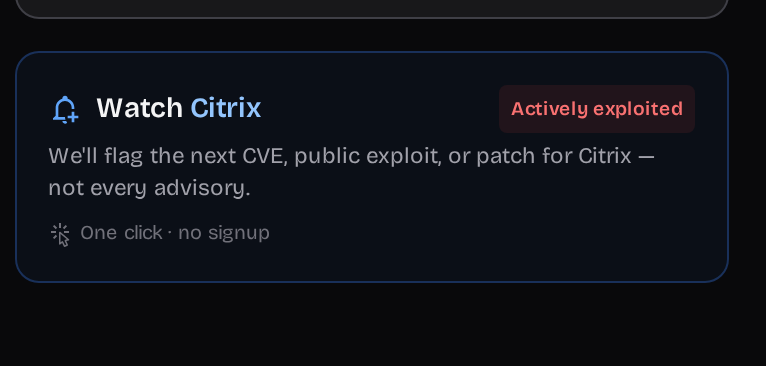
What one click actually does
Click Watch and the product this CVE belongs to (here, Citrix) gets saved — in your browser's local storage if you're not signed in. No account, no email wall. From that point the promise is deliberately narrow: you'll hear about the next CVE, public exploit, or patch for that product, and — the part that matters to a skeptical reader — not every advisory. The restraint is the feature. A watch that pings you on all noise is one you mute in a week.
Where it turns into a real watchlist
Watch a few products across a few CVE pages and you've quietly built an anonymous watchlist in your browser. When you eventually sign in, those watches sync up into your account — nothing you clicked is lost — and they become a proper stack: a personalized feed of what's exploited on the products you picked, plus the ACT/DEFER decisions view.
The honest part: it's a garnish, not a plan
Clicking Watch one product at a time is a fine way to start and a terrible way to inventory a real environment. If you run hundreds of products, do not build your stack one button at a time — scan a host or import an SBOM (that's a whole other walkthrough). The Watch button is for the moment you're already on a page and thinking 'yeah, I should keep tabs on this.' Treat it as the low-friction first taste, then import the rest.
- Anonymous watches live in your browser. Clear your storage or switch devices before signing in and they're gone — sign in to make them durable.
- One product per click. Great for a handful, wrong for a fleet — use import for scale.
- It watches a product, not a version. Precise version matching comes from a scan or SBOM, not a page click.